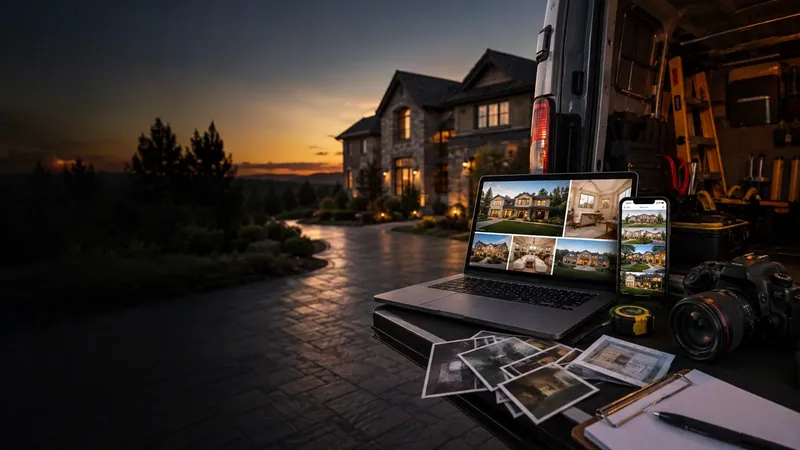
Contractor website photos are the part of the site a customer actually stops on. They skim the copy. They glance at the reviews. Then they look at the pictures and decide whether you’re the guy who’s going to do a good job on their house.
That decision gets made before they call, and it gets made fast. So the contractor website photos you put up are doing more selling than anything else on the page. If they’re stock images, or blurry shots from four years ago, they’re selling against you.
This is the whole thing: what to shoot, how to shoot it with the phone already in your pocket, where the pictures belong on the site, and the mistakes that turn a good gallery into a bad one.
Photos are proof. Everything else is a claim.
Every contractor site says the same three things. Quality work. Fair prices. Twenty years in the trade. Your competitor’s site says it too, in the same words, and a homeowner reading both has no way to tell you apart.
A photo of the deck you finished last month is different. It’s the only thing on the page that can’t be typed out by somebody who’s never held a nail gun. Nobody can fake that.
Reviews help — and you should be asking for them properly — but a written review saying “they did a great job on our bathroom” doesn’t land the way a side-by-side of that bathroom does. Words ask the customer to trust you. Contractor website photos just show them.
What a stock photo actually costs you
Customers spot stock photography almost instantly. They usually can’t say why — the kitchen is too clean, the guy in the hard hat is too handsome, nobody’s truck is that tidy — but it reads as generic, and generic is the worst thing to be when someone’s deciding who to let in the house.
Stock costs you twice. Once because it builds no trust, and once because it quietly says you haven’t got any work worth showing. Real contractor website photos say the opposite before a word is read. A homeowner doesn’t think “he used a stock photo.” He thinks “there’s nothing here.”
Google takes the same view on the map side of things. Its rules for Business Profile pictures say plainly that images should be in focus, well lit, and free of heavy alteration — the picture is supposed to represent reality. Stock shots and AI-generated images don’t do that job, and they don’t do it on your website either.
The four shots every job should give you
You don’t need a system. You need four shots, and once it’s habit it costs about ninety seconds a day. Nearly every contractor website photo worth having comes out of these four.
- The before. Taken the moment you walk in, from two or three angles, before anybody touches anything. Once work starts, the before shot is gone forever and you can’t go back for it.
- The during. The part that gets covered up — rough-in, rebar, conduit, subfloor. This one does double duty: it’s good content, and it’s your record if a customer ever asks what’s behind the drywall.
- The after. Same angles as the before, cleaned up, shot in decent light.
- The detail. One close shot of the bit you’re proud of. The clean cut, the tight joint, the trim line. This is the one that tells another tradesman you know what you’re doing, and it tells a homeowner you care.
Four shots per job. Do that for a month and you’ll have more contractor website photos than most of your competition has put together in five years.
Taking contractor website photos on your phone
You don’t need a camera, a light kit, or a photographer. A clear phone photo of real work beats a polished stock image every time, because it’s real. A few things make the difference between a phone photo that works and one that doesn’t:
- Wipe the lens. It’s in your pocket all day next to sawdust and drywall mud. This one step fixes more bad photos than everything else on this list.
- Put the sun behind you. Shooting into the light turns your work into a silhouette. Mid-morning and late afternoon are kinder than noon.
- Clear the frame. Cords, cans, cones, coffee cups, the port-a-john. Thirty seconds of tidying is the difference between “nice work” and “messy job site.”
- Stand back, then step in. One wide shot that shows the whole thing in context, then one close shot of the detail. Two pictures, two jobs.
- Shoot it sideways. Horizontal fills a website properly. Take a vertical too if you post to social — one visit, both formats.
- Take three of everything. They’re free. One of them will be sharp.
Before and after is the pair that sells
For any trade where the transformation is the point — painting, remodels, flooring, roofing, pressure washing, junk removal — the before-and-after pair does more work than any other picture on the site.
The trick is that the two shots have to line up. Same spot, same angle, same height. Before-and-after contractor website photos only read as a comparison if the camera didn’t move. If the before is from the doorway and the after is from the middle of the room, the pair stops reading as a comparison and starts reading as two unrelated photos.
If you want to go further, there are job-site photo apps built for exactly this. CompanyCam is the one most trades have heard of; it lines the after shot up against the before with an on-screen overlay and files everything by project automatically. Useful if you’ve got a crew and photos are getting lost on people’s personal phones. Not necessary if it’s you and a truck.
Where contractor website photos go on the site
Having the pictures is half of it. Putting them where they’ll actually get seen is the other half. Contractor website photos scattered onto one gallery page and nowhere else are doing a fraction of the work they could.
| Where | What goes there | Why |
|---|---|---|
| Home page | One strong finished job | First thing anyone sees. Make it your best work, not your newest. |
| Photo gallery | 8–12 jobs, mixed | The page people go to when they’re close to calling. |
| Service pages | Photos of that service only | A deck page should show decks. Nothing else. |
| Service area pages | Jobs done in that town | The one thing a competitor can’t copy off you. |
| About page | You, on a job site | People hire a person, not a logo. |
That last row on the table matters more than it looks. When you start adding pages for each town you work in, photos of jobs you actually did in that town are what stop the page reading as a template with the town name swapped in. It’s the difference between a page that ranks and a page Google ignores.
The same photos feed your Google Business Profile
Your contractor website photos should go straight onto your Google Business Profile as well. Same shots, no extra work, and the profile is usually what brings in calls first while the site is still getting indexed — which is covered properly in the guide to how Google ranking works locally.
Google publishes what it wants. Its guidance on Business Profile photos asks for JPG or PNG, between 10 KB and 5 MB, at least 250 pixels square and ideally 720, in focus and well lit, with no heavy filtering. Straight phone photos clear that bar without you doing anything.
One practical note: add a few at a time rather than dumping thirty in one go. A steady trickle looks like a business that’s working. A single dump followed by two years of silence looks like a business that gave up.
Naming and sizing contractor website photos
This part is normally somebody else’s job, but it’s worth knowing what should be happening to your pictures once they’re handed over, because it’s where a lot of sites quietly lose ground.
Three things get done to every photo before it goes up:
- The file gets a real name. IMG_4471.jpg tells Google nothing. deck-rebuild-chico-after.jpg tells it what the picture is and where the job was. Naming your contractor website photos properly is about ten seconds of work per file and it’s free.
- It gets alt text. A short, plain description of what’s in the shot — written for somebody who can’t see it. That’s what it’s for, and it happens to be one of the few places search engines get told what a picture shows.
- It gets compressed. Straight off a modern phone a single shot can be 6 MB. Resized and compressed properly it drops to a few hundred kilobytes with no visible difference on screen.
That last one matters more than it sounds. A homeowner looking you up standing in their driveway on one bar of signal will not wait around for a gallery of uncompressed contractor website photos to load. They’ll hit back and call the next guy. The picture that was supposed to win the job loses it instead.
Nothing here needs doing by you. It’s the sort of thing that should just be handled when your photos go up — but if you’re paying somebody for a site and the images are coming through named IMG_4471 at full phone resolution, that’s a fair thing to ask about.
Where contractor website photos go wrong
Most galleries that don’t work fail in one of five ways:
- Stock images. Covered above. Nothing kills trust faster.
- Too few. Three photos reads as three jobs. Eight to twelve reads as a working business.
- Never updated. A gallery that hasn’t changed in two years starts to look like a business that hasn’t worked in two years — especially to a customer who’s seen your recent work in person.
- Somebody else’s stuff in frame. The customer’s face, their car, their house number, their kid’s bike. Ask before you post anything that identifies a person or an address.
- Files straight off the phone. A modern phone photo can be 6 MB. Twelve of those will make the page crawl on a job site with one bar, and a slow page loses the call. Whoever builds your site should be compressing them.
If you could swap your contractor website photos onto a competitor’s site and nobody would notice, they aren’t doing anything for you.
How many, and how often
Eight to twelve good contractor website photos to launch with. After that, three to five new ones a month keeps the site current without turning into a chore.
You don’t need to go back and photograph old jobs. Start with the next one. Four shots, ninety seconds, and inside three months you’ll have a gallery that sells the work better than anything you could pay for.
And it keeps paying. Unlike renting attention on Yelp, a photo you took stays on your site working for you, and it doesn’t switch off when you stop paying somebody.
Photo gallery update — $25
Send us up to 10 new job photos and we’ll get them sized, compressed and added to your gallery. No logging into anything, no messing with code, no subscription — just $25 whenever you’ve got fresh work worth showing.
We handle the naming, the alt text and the file sizes so your contractor website photos don’t slow the page down, and we’ll tell you straight if a shot isn’t doing you any favours. If you haven’t got a site yet, fill out the form and send whatever photos you have — we’ll build the gallery around them. You can see what that looks like finished on our work page.
Make your next first impression a better one.
New websites $697. Redesigns $597. Nothing due up front. Standard hosting is $37 per month separately.
Let’s talk about your website