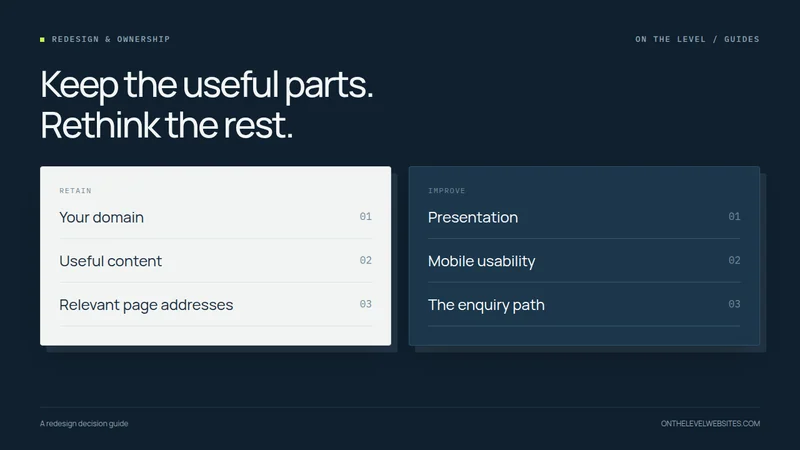
An old-looking website is not automatically a broken website. It may contain useful service pages, photographs customers recognize, and addresses that people already share. On the other hand, changing the colors on a site with broken navigation or inaccessible account ownership does not solve the underlying problem.
The useful question is what needs to stay and what needs to change. A redesign improves presentation and usability. A rebuild changes more of the implementation underneath. Real projects can involve both, and the terms alone do not describe the amount of work.
Look at the existing site before choosing the solution
Open the website as a customer would: from your phone, without administrator access. Can you tell what the business does and where it works? Can you find relevant examples of the work? Does the phone number work? Can you send an enquiry successfully? Then ask a person unfamiliar with your business to try the same tasks.
Next, make an inventory. Record the important pages, their exact addresses, the contact form destination, domain account, hosting account, business email provider, and integrations. Identify anything that must continue working during the change. This separates a visual concern from an operational one.
When a focused redesign may be enough
A focused redesign is worth discussing when the content is still useful, the business has control of its accounts, and the platform can deliver the required layout without awkward workarounds. You may need better page hierarchy, consistent photographs, a simpler menu, or a clearer enquiry path rather than a wholesale replacement.
For example, a roofing website might already explain repairs and replacements well but bury the service area in a footer. Moving that information closer to the introduction, improving the project gallery, and making the phone link prominent may address the actual customer problem. That is a design decision, not proof that a particular platform is unsuitable.
Keep a short list of priorities. “Make the right service easy to find on a phone” is testable. “Make it modern” is too vague to tell you whether the work succeeded.
When a rebuild deserves a closer look
A rebuild can make sense when the current setup cannot support the agreed requirements, maintenance has become impractical, or important changes require repeated workarounds. It can also be appropriate when you cannot obtain the access needed to manage the existing site responsibly. Establish what can be recovered or exported before promising a seamless move.
Do not judge this only from appearance. An uncluttered site might have serious access or delivery problems; a dated site might have a sound structure worth preserving. Ask the person proposing a rebuild to explain the specific limitation, how the new approach resolves it, and what becomes simpler afterward.
| What you notice | Question to investigate |
|---|---|
| Dated fonts and inconsistent images | Can the presentation be improved without changing useful page addresses? |
| Hard-to-use mobile navigation | Is this a layout problem or a limitation of the current implementation? |
| Enquiries disappear | Where does the form send them, and can delivery be tested? |
| Nobody controls the accounts | Who is the registrant, account owner, and authorized contact? |
| New services do not fit the site | Can the existing content structure grow coherently? |
Protect what the site already has
Keep useful page addresses whenever the new structure allows it. When an address must change, map the old page to the relevant replacement rather than sending every old link to the homepage. Google's migration guidance recommends planning the URL mapping and implementing appropriate redirects. Its site-move documentation describes this process.
That does not mean a redesign is risk-free or that rankings cannot fluctuate. It means preserving what can be preserved and making necessary changes deliberately. Copy the old content and image assets before taking the old hosting away. Record the existing DNS entries so a website change does not accidentally become an email interruption.
A new website does not normally require a new domain. Your address, website files, and hosting are separate parts of the setup. This guide explains changing designers while retaining your domain.
Agree on the handover test
Before launch, review the important pages on a computer, tablet, and phone. Test internal links, forms, phone and email links, image loading, and any booking or payment journey. Review the visible business information as carefully as the design: a beautiful page with an obsolete service area still sends the wrong message.
Also check the launch settings. A staging copy may properly be blocked from indexing, but that block must not be carried into the intended public pages. The final domain should serve the correct secure version. Keep the old site available as a rollback option until the new deployment is verified.
What our redesign offer means
Our standard five-page redesign is $597 paid in full at launch or six payments of $119.50, totaling $717. Standard hosting is $37 per month separately. Complex migrations, extra pages, and special features are discussed and quoted before work begins. “Redesign” is not a promise that every existing system can be moved for the same amount.
Send the current website and explain the two or three things that bother you most. We can start with those problems, identify what is worth keeping, and define the right scope before changing the foundation.
Show us the website you want to improve.
Send your current address and what you would like to change. We will agree on the scope before starting.
Talk about your redesign