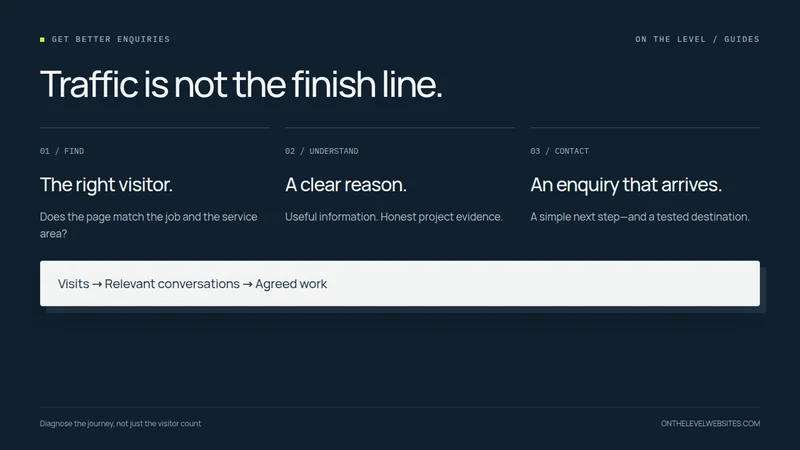
More visitors are not always the answer to an empty enquiry inbox. The traffic may be irrelevant, the page may leave important questions unanswered, or the contact process may fail after someone decides to use it. Those are different problems, and each needs a different response.
Before paying for more traffic, follow the path from finding the page to receiving an actual enquiry. The aim is to identify the point where the process stops—not to guess that a brighter button will fix everything.
First, check what “visitors” actually means
A report showing impressions is not showing website visits. An impression records an appearance in search results; a search click records a click from those results. Search Console separates those measures and lets you examine queries and landing pages. Google explains the Performance report here.
Even genuine website visits can include your own checks, suppliers, job seekers, people outside the service area, and research visits that never had hiring intent. Look at the pages and searches behind the total. An article about doing a repair yourself can attract a different audience from a page offering that repair in your service area.
Do not make large decisions from a tiny sample. A handful of visits without an enquiry is not enough to establish which design is better. Record the dates, traffic source, enquiries received, and any changes you make so you can distinguish a pattern from an isolated week.
Make the service match obvious
Imagine landing on the page without knowing your business name. Does the introduction explain what you do and where you do it? A headline about “quality solutions” could describe almost anything. A clear description of deck repairs and replacements in the actual service area helps the visitor answer a specific question.
The same applies to individual services. Someone looking for a small drywall repair should not have to infer whether a company that displays full-house renovations accepts that work. Explain the jobs you want and the work you do not undertake. Clear boundaries can improve the relevance of enquiries even if the total number stays modest.
Show evidence that belongs to the business
A visitor deciding whom to invite onto a property has reasonable questions. Who is doing the work? What does finished work look like? Is the contact information real? Are the licensing or insurance statements accurate? A site should answer those questions without inventing credentials or burying them in fine print.
Use your own project photographs where possible. Add a brief caption explaining the task, scope, or material rather than asking a picture to tell the whole story. Distinguish a finished project from a design example. Do not present generated scenes or unrelated photographs as completed jobs.
For more on choosing and presenting real work, use our contractor website photography guide. A smaller, well-explained gallery is preferable to a larger gallery that leaves the customer unsure what the company actually did.
Try the contact journey on a phone
Use a phone and a normal connection, not only the desktop you use to edit the website. Can you read the service information without zooming? Is the contact route visible after the relevant section? Does the call button contain the right number? Does the email link address the correct inbox?
A first enquiry rarely needs the same detail as a final estimate. Decide what you need to start a conversation, and ask for the remaining information at the appropriate time. Keep visible labels on form fields, explain errors, and make the controls usable with a keyboard. W3C's forms guidance covers these basics.
Offer a choice that fits the business. A phone number, a concise form, and a message option can serve different customers. Do not offer instant availability or an emergency response unless the business can actually provide it.
Verify that the enquiry arrives
A success message on a form is not enough. Send an authorized test message and confirm it reaches the intended mailbox or customer-management system. Check spam folders and forwarding rules. Verify attachments, reply addresses, and the destination on the mobile version as well as the desktop version.
Track a button click separately from a completed enquiry. Someone can tap a phone link and never place the call. A form can be opened without being submitted. If analytics is configured, use events that reflect those distinctions; Google's recommended events include lead-related actions, but the implementation still needs to match what genuinely happened. See the recommended-events documentation.
Check performance without confusing it with persuasion
A page that takes too long to become usable creates a problem before the offer has a chance. Check the site on a slower connection, watch whether pictures shift the layout, and see whether clicks respond. Core Web Vitals address loading, interaction responsiveness, and visual stability; they do not tell you whether the offer is appropriate. Google's Web Vitals overview explains the distinction.
Fix broken functionality first. Then improve the weakest relevant section: clearer service scope, better project evidence, or a simpler contact step. Change a small number of things at a time and record when the changes went live.
Judge the result by useful conversations
The target is not the largest possible visitor count. It is a site that helps suitable customers understand the business and contact it successfully. Keep a simple record of which enquiries are relevant, where the customer found you, and whether the work fits.
Send us the page that is getting attention but not enquiries. We can review the actual journey and discuss a focused improvement before assuming you need a completely new website or more advertising.
Start with the page that is not doing its job.
Tell us what the page is meant to achieve and where visitors get stuck. We will discuss a useful next step.
Discuss your website